Week 2 Lesson contains:
•Set Workspace to Default
•Familiiarize yourself with your Workspace and Docking Palettes
•Select the Screen Mode you like Best
•Review the Context Menu
•Set your Preferences accordingly to your workflow
•Share with Class what Projects that Rulers can be Used
•Fill Command
•Draw some Images and Share with Class using the Brush Tool,
and also using the Advanced Brush Options
Using Rulers and Grids
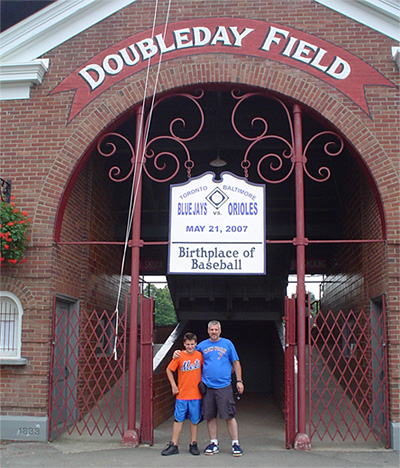
The header image is the original image that is not centered, in the
images below I am showing you...
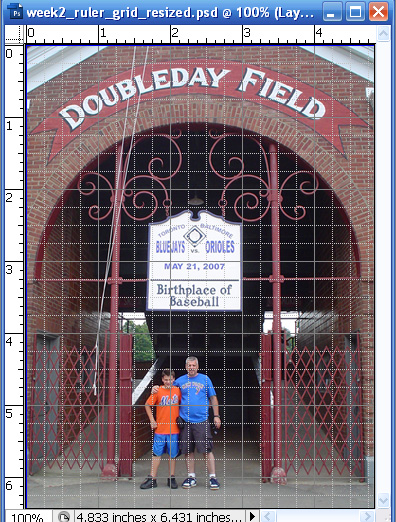
•The first image on your left shows the ruler that is surrounding
the outiside of the image. It is also showing you a grid which helped me
align my image. The ruler is great way to create precise measurements
on something you would like to create. The grid helps align by either
helping you center your image or if you have text or any other elements
that you need precise coordinates.
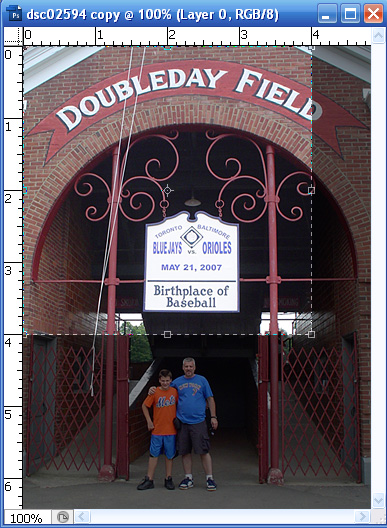
•The second image on your right shows not only the ruler but also
showing you the crop tool and how you can get presice with measuring
first before cropping your image.
Drawing Images Using The Brush Tool
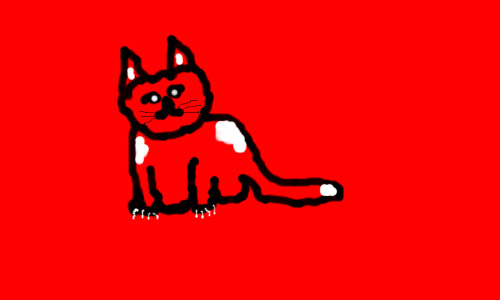
The cat image above had a white background and changed the color
by using the Edit - Fill Command to red.
I also had drawn the cat (my first go at drawing on a pc) using the brush tool.
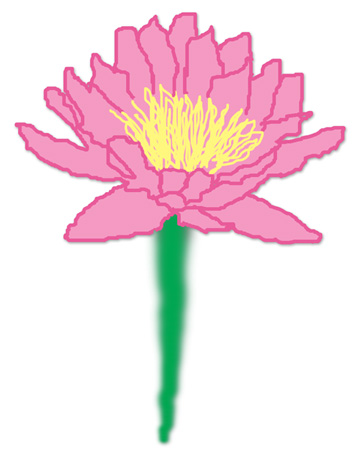
In this image above I used (my photo for help LOL!) the advanced brush options
called Pen Pressure for the outlining of the petals and the pollen.
I used the advanced brush options Fade for the stem of the flower,
I then added a new layer flood filled with a lighter color pink and went back
to the outlining of the petals using the magic wand clicking on the outside of
the image then going back to the flood fill layer, inverse, delete and bring
the flood fill layer underneath the outline layer.


I hope you enjoyed Lesson 2. Please feel free to contact me.
Web Layout Designed by ©AngelAD